 Resale Record
A tour of the app
The four tabs and the Capture button: what Today, Pile, Sales and Books show, and where Settings and your account live.
Resale Record has four tabs along the bottom of the screen and a Capture button in the middle.
| Where | What it is |
|---|---|
| Today | Profit this month, items that need attention, recent activity. |
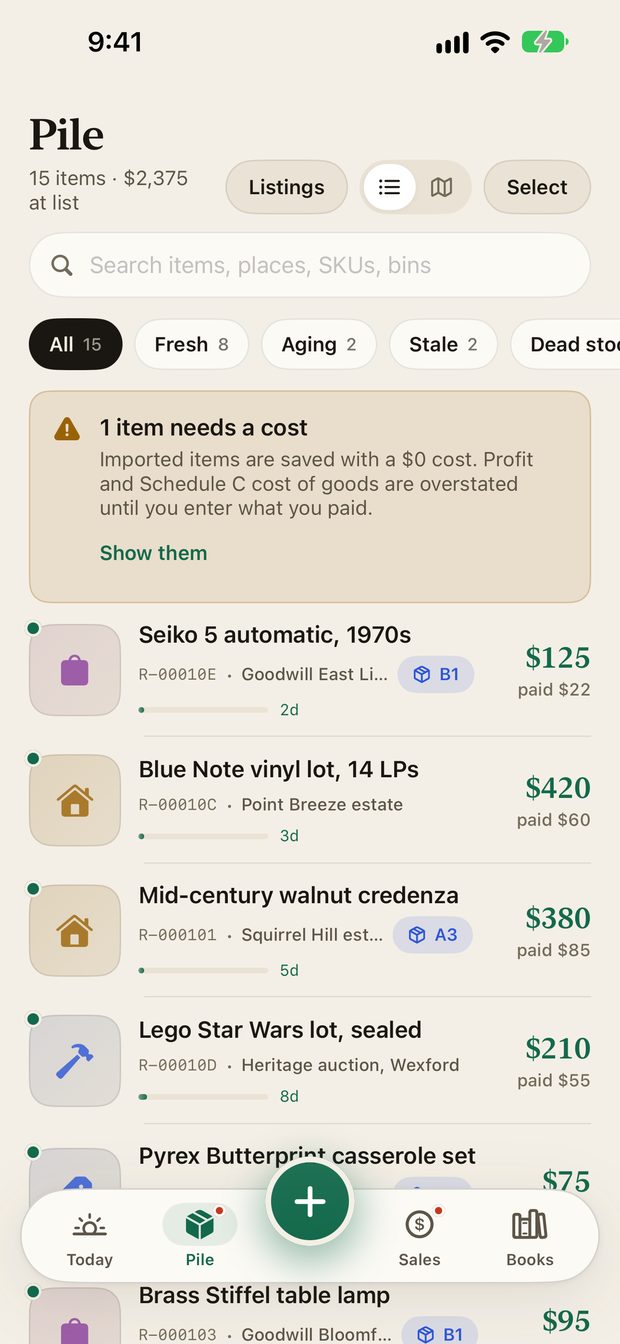
| Pile | Everything you own and have not sold, with how long it has been sitting. |
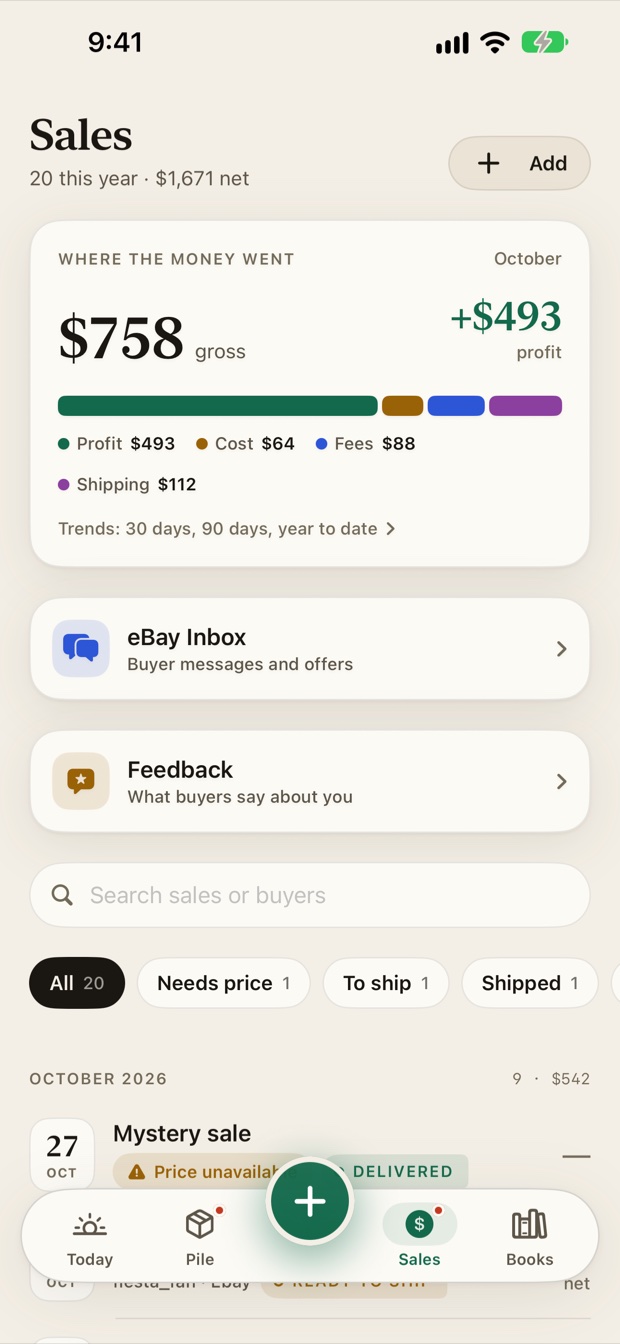
| Sales | Your sales, their shipping status, trends, and your eBay messages, offers and feedback. |
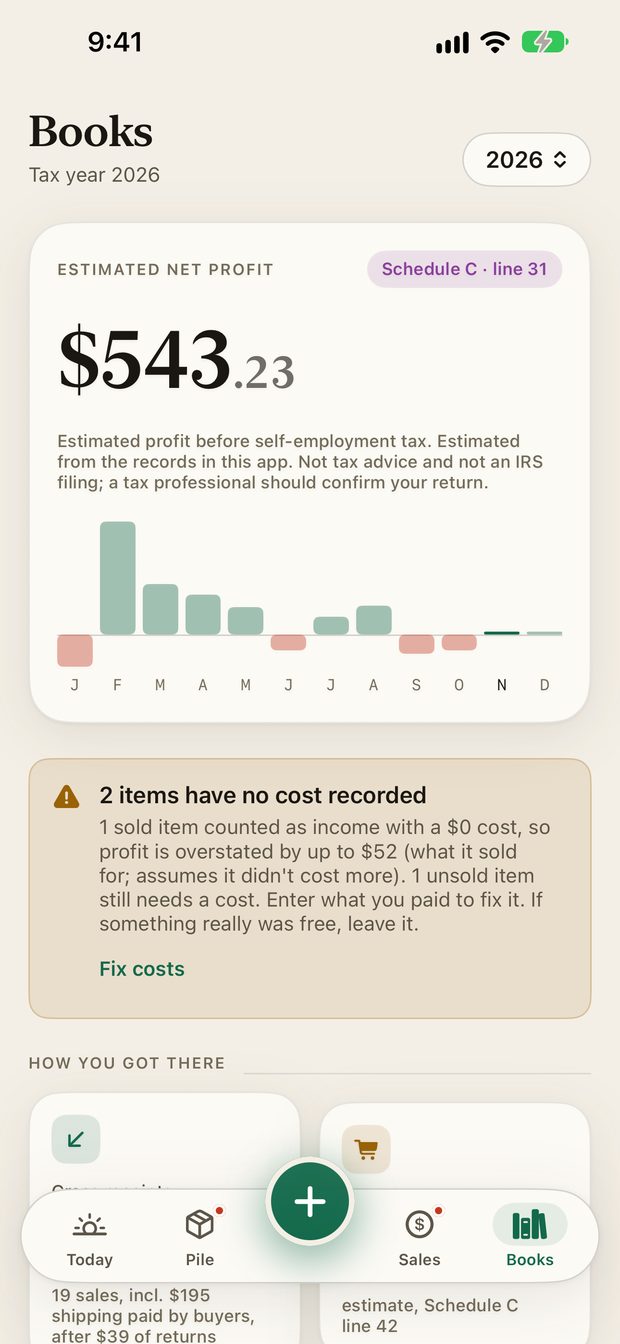
| Books | The tax-year picture: mileage, expenses, donations and the Schedule C export. |
| Capture | Log a pickup, a sale, an expense, a donation or a trip, or run a price check. |
Today#
Today answers one question: how am I doing this month?
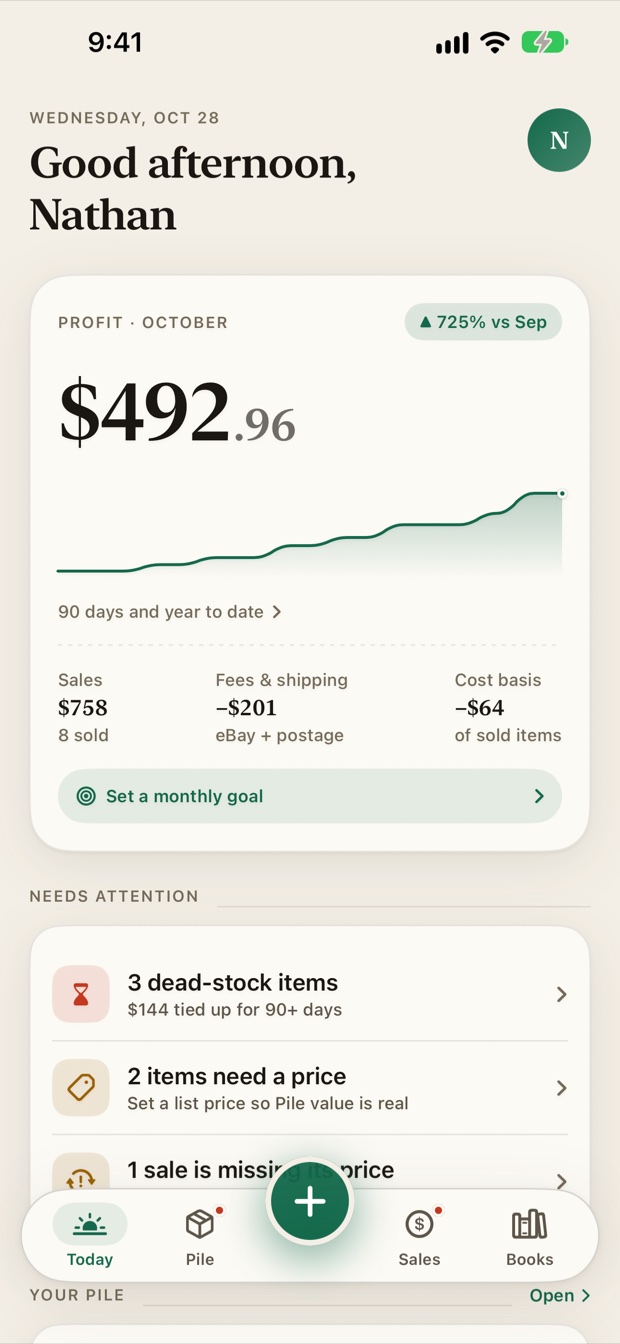
- The profit card shows profit for the month, a chart of the last 90 days, and the sales, fees and shipping, and cost basis behind it. Tap it for trends over 30 days, 90 days or the year to date.
- Set a monthly goal adds a progress bar to the card. You can also set it in Settings.
- Needs attention lists things worth a look: items sitting a long time, items without a price, or a sale missing a cost.
- Your avatar, top right, opens Settings.
Pile#
The Pile is your inventory. See The Pile.
Sales#
Sales lists what you have sold and where each sale stands. See Sales.
Books#
Books is the tax-year picture. See Books overview.
The Capture button#
Capture is the fastest way to record something while you are out. It opens a sheet with New pickup, Sale, Expense, Donation, Trip and Price check.
Settings#
Tap your avatar on Today. Settings holds your subscription, a monthly profit goal, eBay, shipping options, the year in review, your Schedule C export, spreadsheet import, privacy and support links, your password and account deletion. See Settings.
Something missing or out of date? Email support@resalerecord.com and tell us what you expected to see.